Early access opening soon

Photoshop-class editing.
One payment. Yours forever.

imagic studio is a full professional image editor: layers, masks, a legendary brush engine, PSD support and the keyboard shortcuts your hands already know. No subscription. No meter running. You buy it, it is yours.

imagic studio runs on Claude Code, Cursor, GitHub Copilot, Codex, Gemini CLI, Windsurf, Claude Desktop, and any MCP client built-in MCP server

Windows first, macOS next. One email when your build is ready, nothing else.

1 payment
no subscription, ever
40+ formats
PSD in and out
100% yours
source published, works offline
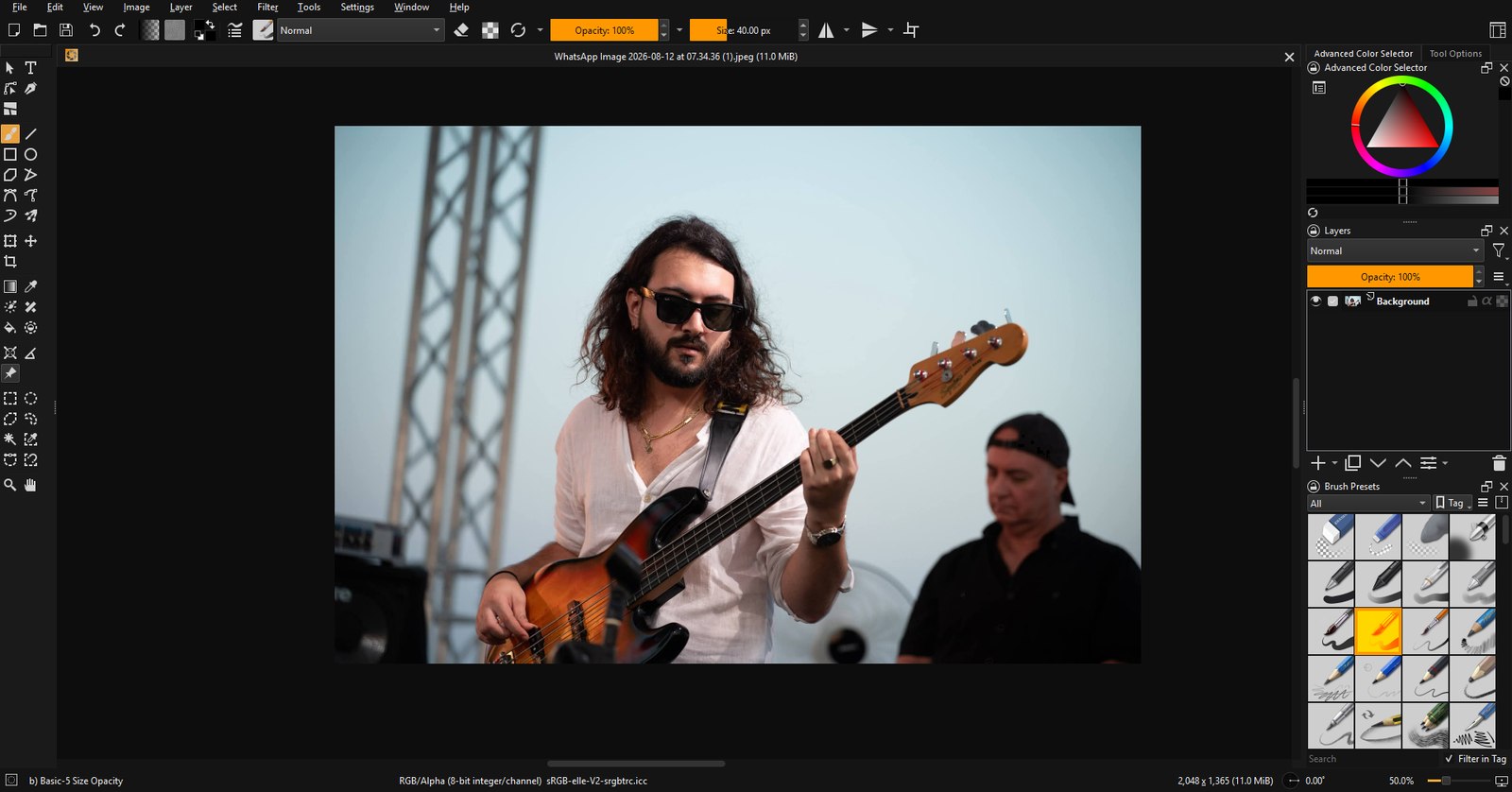
imagic studio editing a concert photo: layers, brush presets and the advanced color selector in the dark imagic interface
A real, unretouched screenshot of imagic studio.
The toolkit, in depth

Everything a pro editor is supposed to have

Every screenshot below is the actual app, not a mockup.

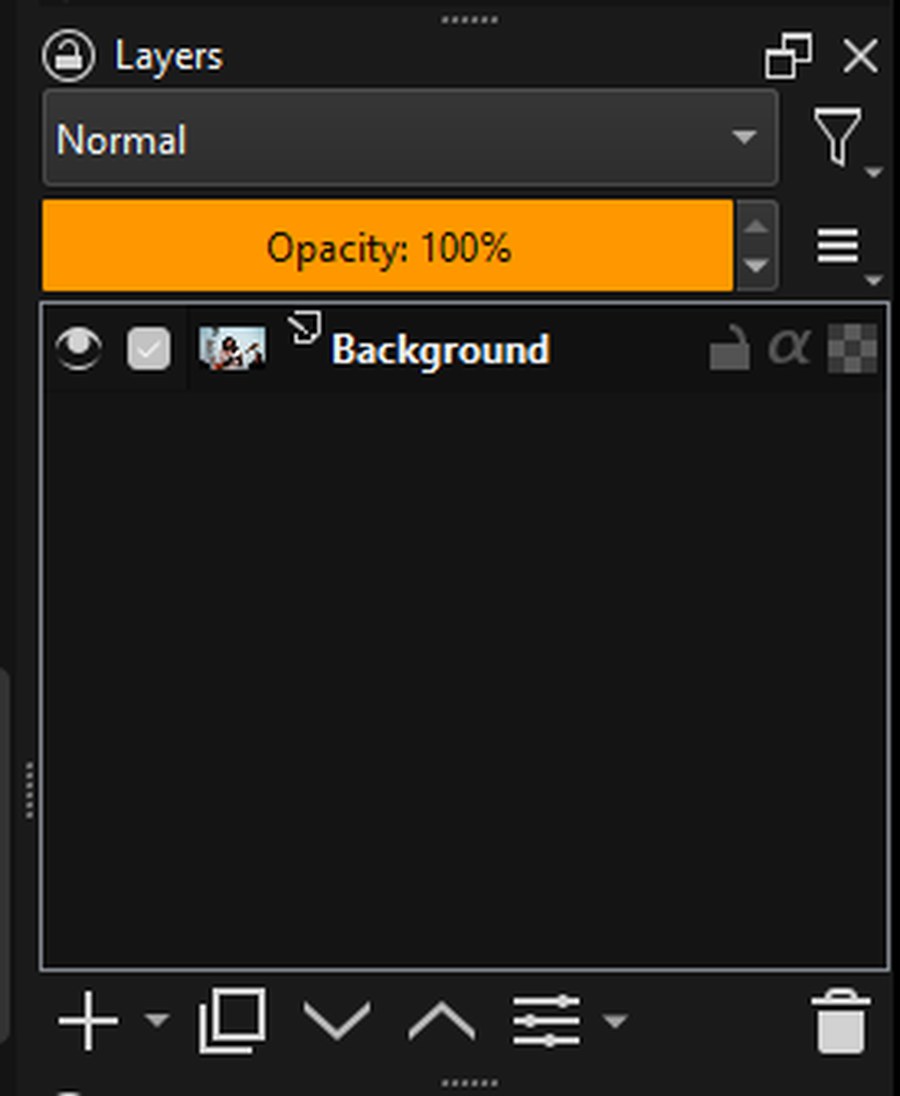
The layers panel with blending mode and opacity controls
Layers & masks

A layer stack with real depth

Compositing lives or dies on the layer system, so this one is the full stack, not a lite version. Group anything, blend everything, and keep edits reversible with masks instead of erasers.

  • Layer groups, clones and file layers, with ~70 blend modes
  • Transparency, vector and transform masks
  • Filter layers and filter masks keep adjustments non-destructive
  • Layer styles for strokes, glows and shadows
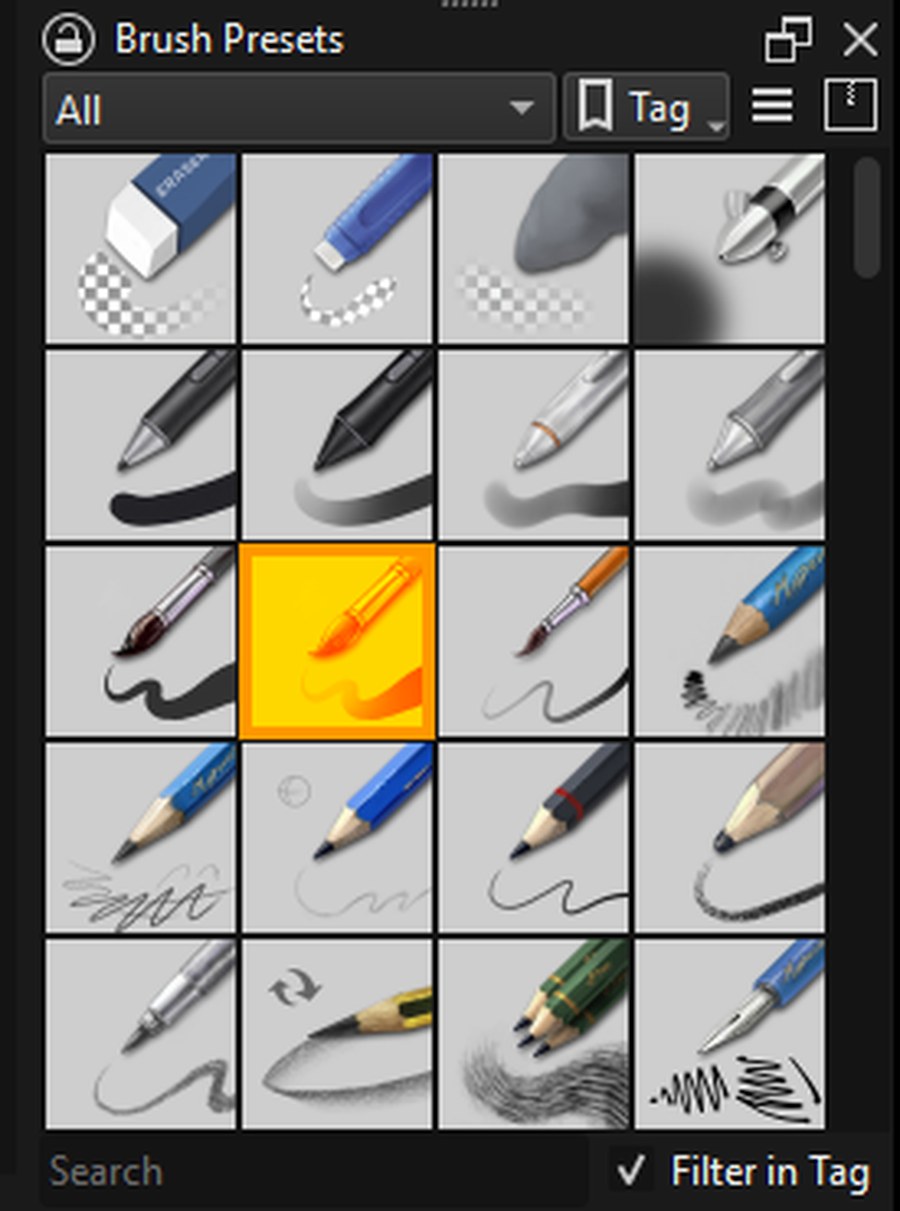
The brush presets panel with dozens of tuned brushes
Brushes

A brush engine artists already swear by

The engine under imagic studio powers one of the most respected digital painting tools on earth. Hundreds of tuned presets ship in the box, and every one of them is yours to rebuild.

  • Pressure, tilt and speed dynamics on any tablet
  • A built-in stabilizer for clean line work
  • Blending modes, textures and dual-brush tips
  • Bracket keys resize on the fly, exactly as your hands expect
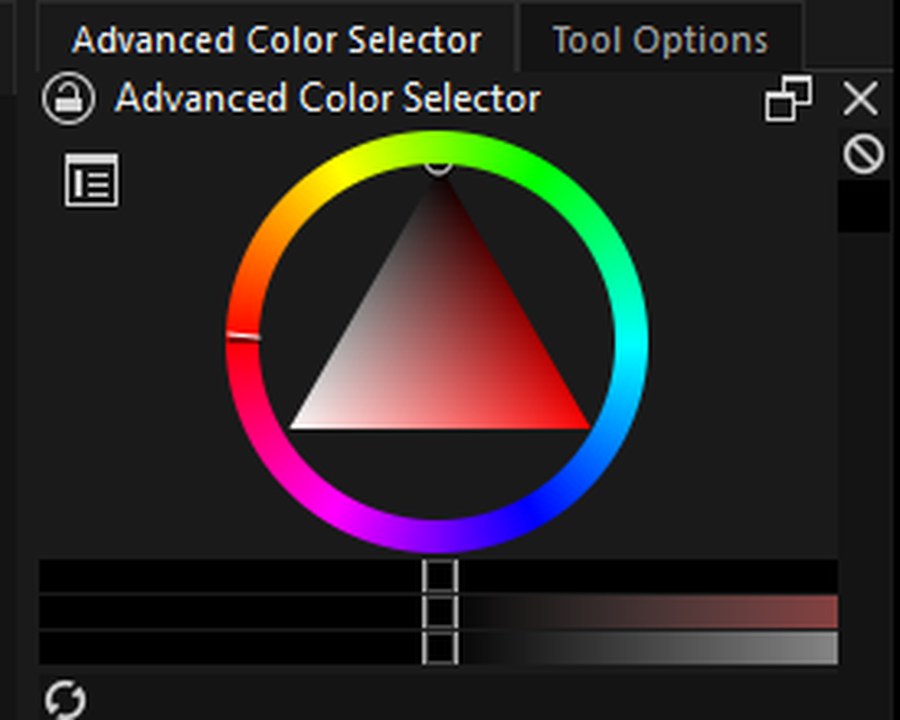
The advanced color selector wheel
Color

Color you can hand to a printer

Real color management, not a vibe. Work in the spaces your output demands and proof it before anything ships.

  • 8, 16 and 32-bit per channel
  • RGB, CMYK, LAB and grayscale models
  • ICC profiles with soft proofing
  • HDR-capable pipelines for EXR work
The tool strip: selections, transforms, fills, text and vector tools
Tools

Your muscle memory works here

Photoshop-compatible keyboard shortcuts and canvas gestures are the default, not a settings expedition. Ctrl+T transforms, space pans, Ctrl+click picks a layer.

  • Rectangular, elliptical, freehand, polygonal and magnetic selections
  • Free transform, perspective and warp
  • Crop, gradients, fills, smart patch and clone tools
  • Text and vector shapes on the same canvas as your pixels
PSDKRAPNG JPGWEBPTIFF EXRORAPDF SVGHEIFAVIF JXLGIFBMP TGAICORAW + twenty more
Files

Works with the files you already have

Your PSDs open with their layers, and your work exports back to PSD for pipelines that expect it. The honest caveat every non-Adobe editor carries: extremely complex documents with smart objects or exotic effects may simplify on import.

Native .kra files keep absolutely everything, and roughly forty formats travel in and out, from web-ready WEBP and AVIF to film-grade EXR.

$ claude mcp add imagic-studio -- uvx imagic-studio-mcp

> convert every PSD in ./shoot to webp,
  then open the hero shot for me

 batch_convert   42 files → webp
 open_in_studio  shoot/hero-042.webp

Done in 61s. The hero shot is on your screen.
Agent-ready

Your AI can drive it too

Like imagic Desktop, imagic studio ships with an MCP server, so Claude Code, Cursor, Claude Desktop or any MCP client can put the editor to work: real engine conversions across forty formats, batch pipelines, and handing files to your screen when a human should take over.

  • Headless conversions through the same engine as the app
  • Batch jobs an agent can run while you do something better
  • Live in-document editing tools are next on the roadmap
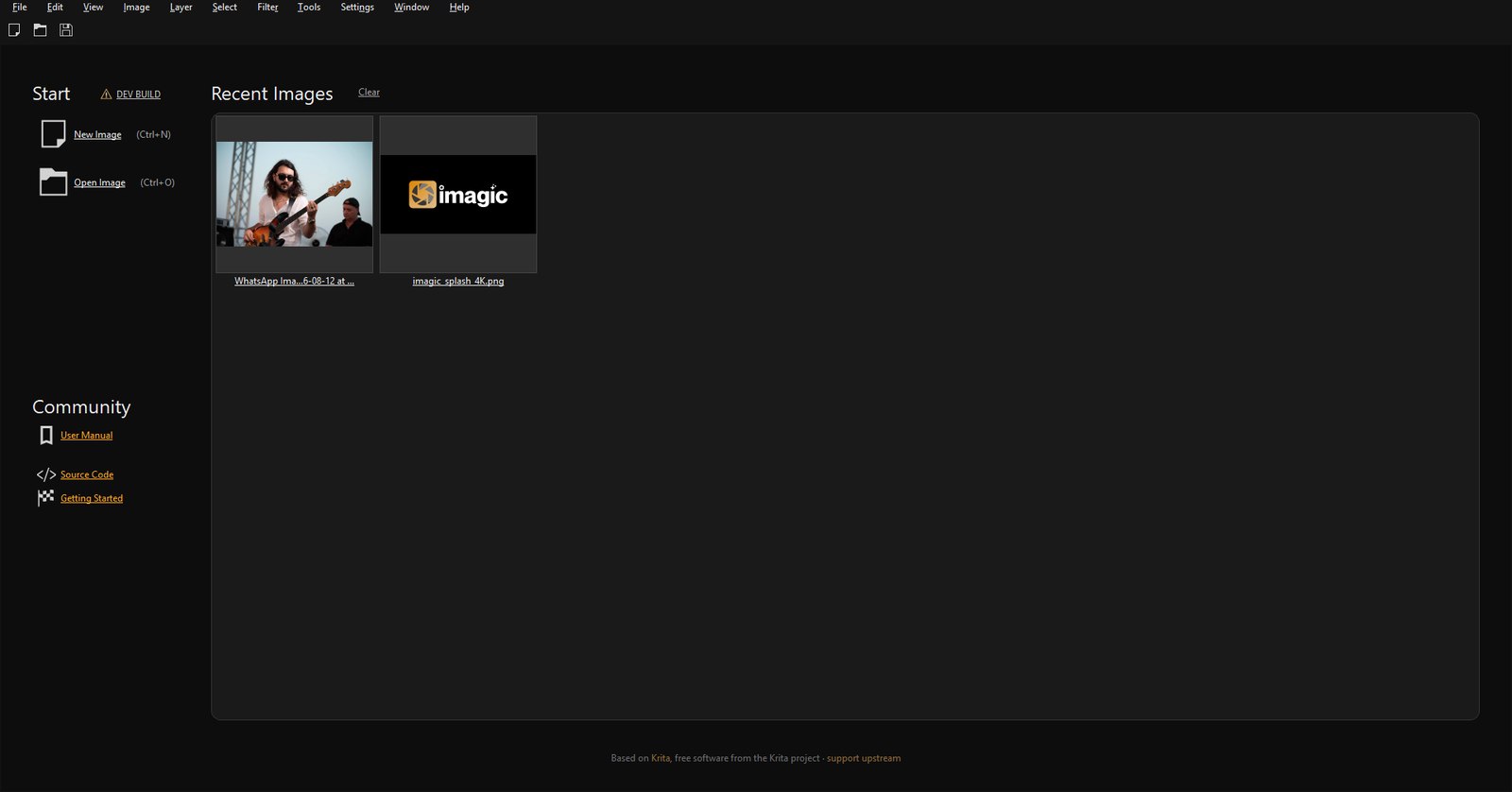
imagic studio start screen in the dark imagic theme
Home screen. Dark by default, orange where it matters.

imagic studio is built on Krita, an open-source imaging engine refined for over two decades. We publish our complete source, keep the engine honest, and add the imagic part: the design, the defaults, the packaging and someone to answer your email. If you love the engine, consider supporting upstream.

The awkward questions, answered

How much will it cost?

One payment, announced at launch, priced like a good dinner rather than a second phone bill. Early-access members get it cheapest and keep every future update in the same major version.

When can I use it?

Early access builds for Windows are opening shortly, with macOS following. Joining the waitlist gets you a build link the moment yours is ready.

Will my Photoshop files open?

PSD files open and export. Extremely complex documents with smart objects or exotic layer effects may simplify on import, the same honest caveat every non-Adobe editor carries.

How does the AI integration work?

An MCP server ships alongside the app. Point Claude Code, Cursor or any MCP client at it and your agent can convert files through the real engine, run batch jobs, and open results on your screen. It automates your grunt work; it does not generate images.

How is this different from imagic Desktop?

imagic Desktop is for photographers: culling, RAW processing and delivering shoots. imagic studio is the pixel editor: retouching, compositing, painting and design. They are siblings and they play nicely together.

Is "no subscription" really forever?

Yes. The app never phones home to keep working, never locks your files, and never expires. If we vanished tomorrow the source is public and your editor keeps editing.

Be first in line

One email when your build is ready. That is the whole newsletter.

Get early access